
Loading ...
Documenos® is a user-friendly and flexible digital transformation platform that supports businesses end to end on their digital transformation journey.


Design complex forms made up of fields and tables, connected to any data sources you choose.

Define who performs which action on a form and in what order. You can design the lifecycle of every form with unlimited possibilities and the most flexible options.

Create any rules you need for completing forms. Without writing a single line of code, you can build complex rules using options such as and / or / equals / contains / does not contain / greater than / less than / starts with.

Get any reports you need on document, process, form, workflow or task record data through BI dashboards or pivot tables.
Documenos offers an adaptable, user-friendly document management system that manages documents and information together.
Learn more…
Documenos is a solution that lets organizations digitize simple or complex business processes, bind them to rules and monitor them end to end, working 100% integrated with the platform's other modules (document, form and task management).
Learn more…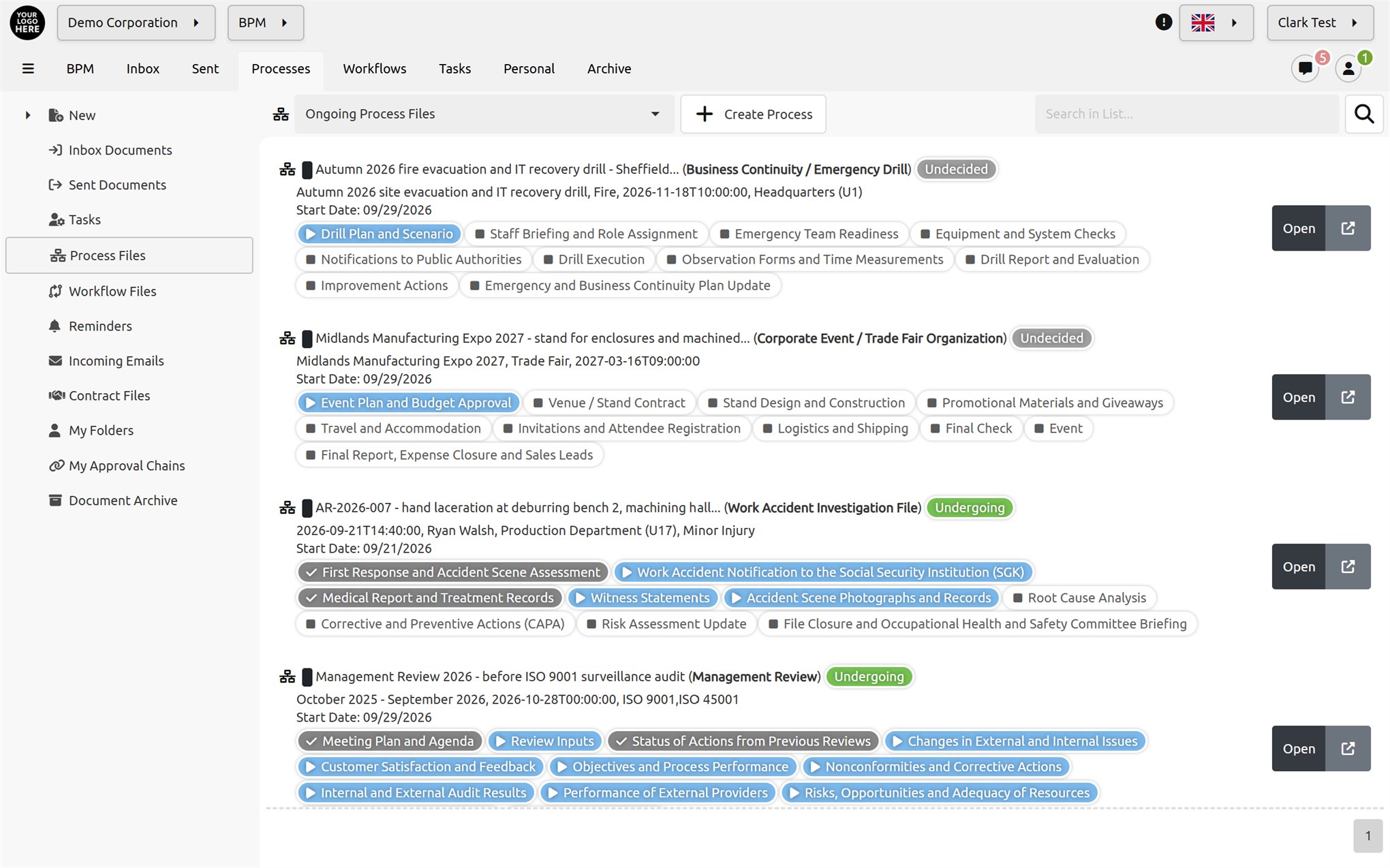
Documenos is a flexible solution that lets organizations digitize complex workflows and model, monitor and optimize them with a completely no-code architecture.
Learn more…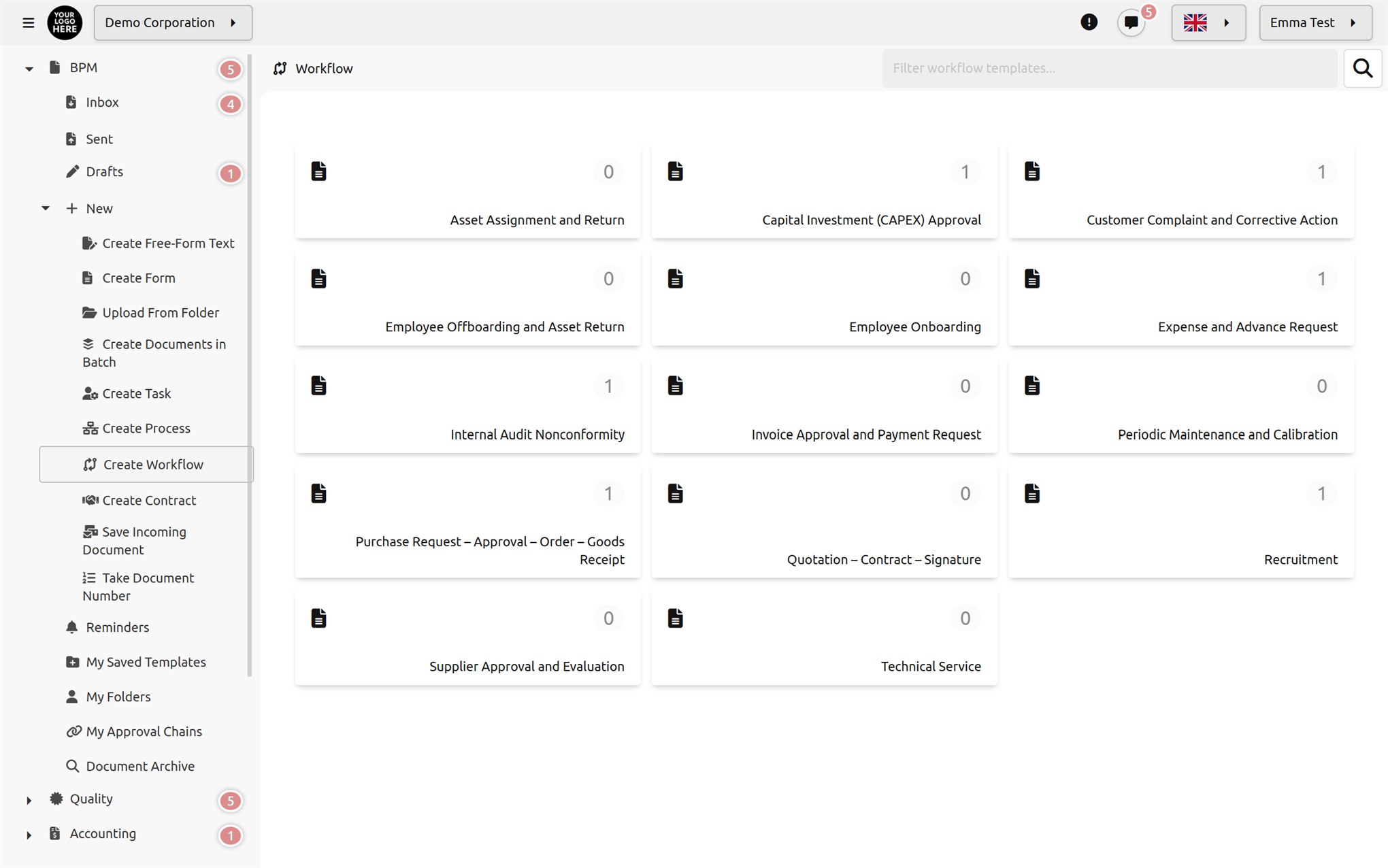
In the Documenos Forms Management Module, define your fields using a rich set of field types, create tables, set rules, drag and drop, format, and either publish online or use within your company. Include the forms you collect in your workflows and processes. Analyze the data.
Learn more…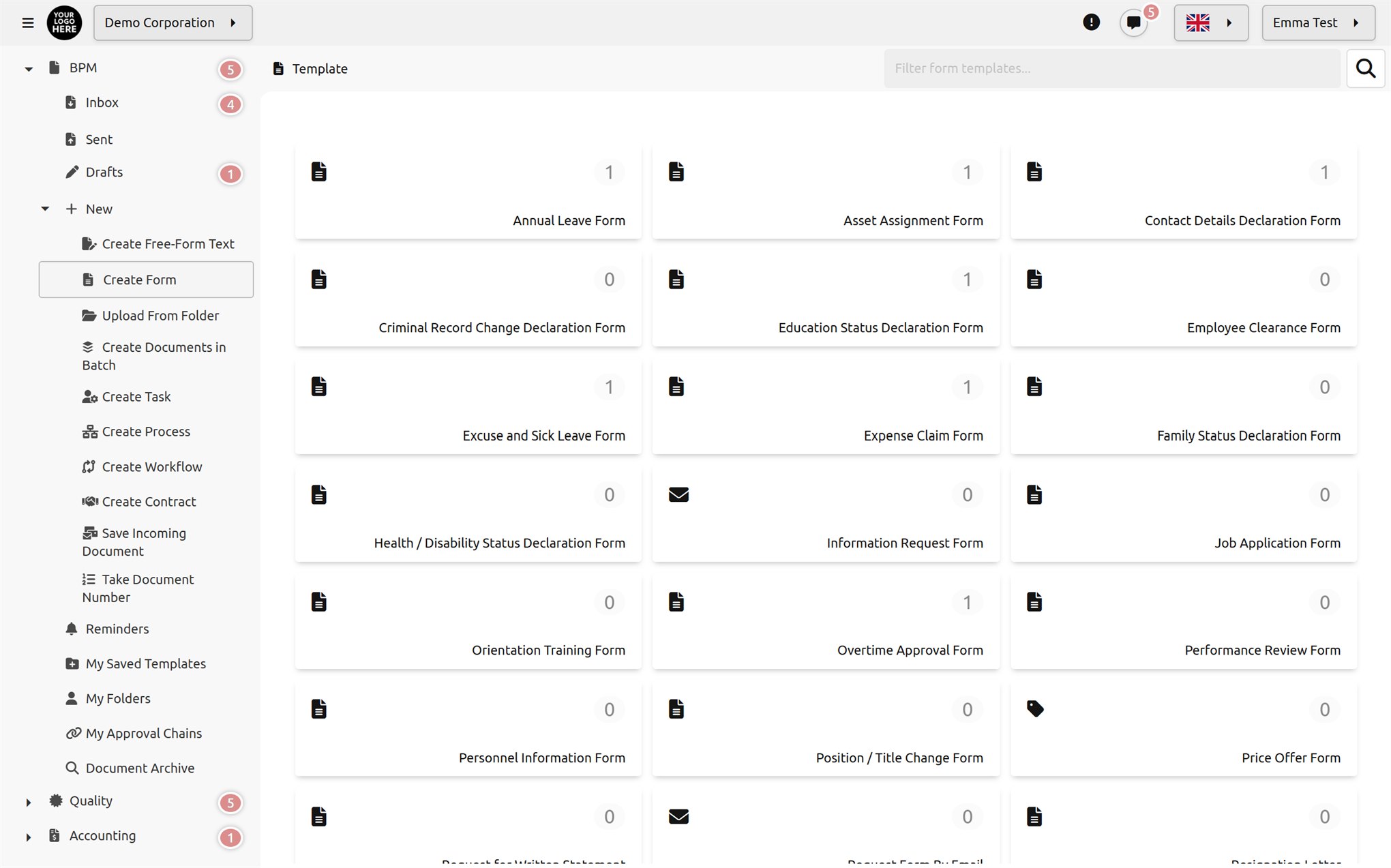
Documenos task management works 100% integrated with the document management, process, workflow and quality management modules.
Learn more…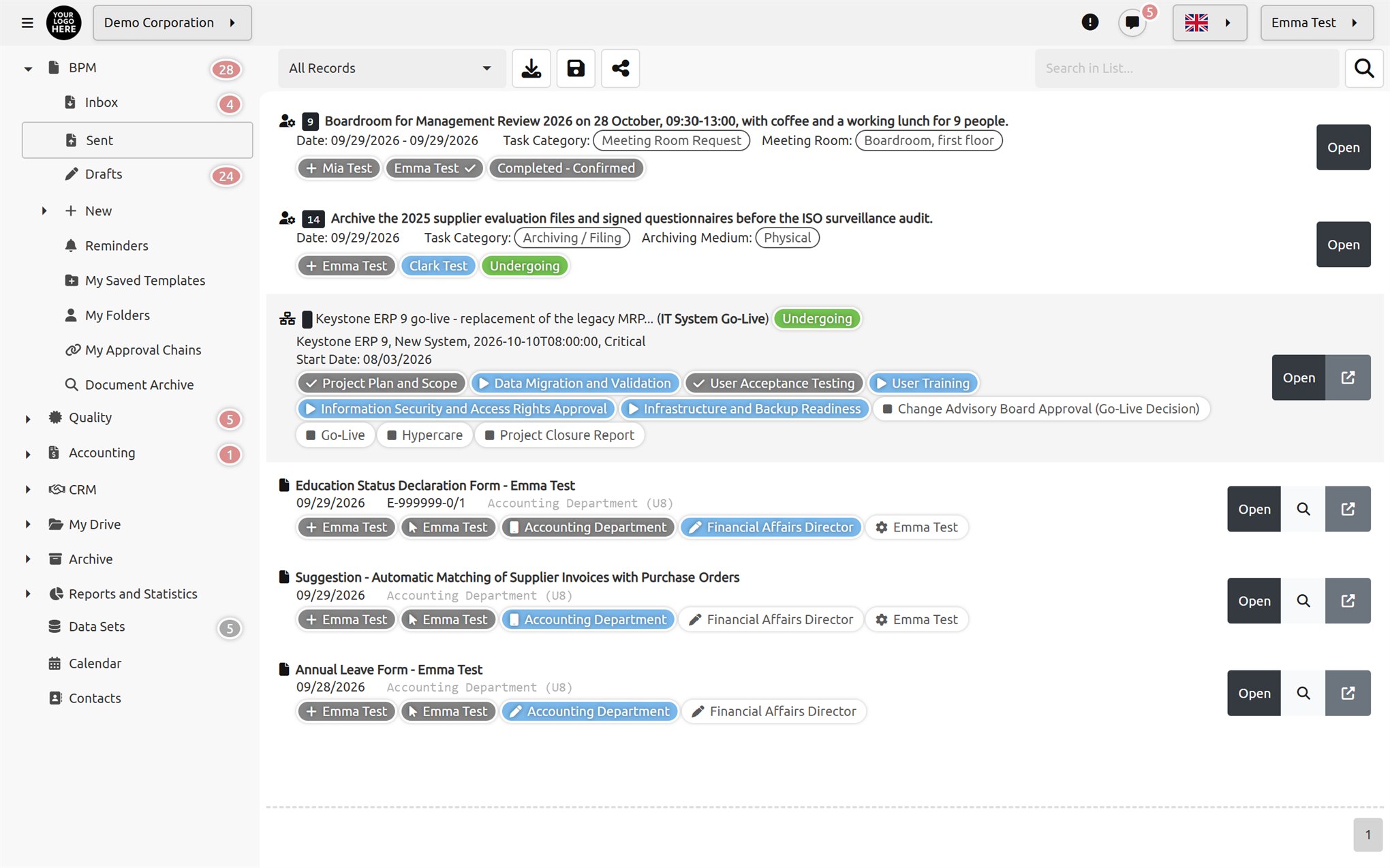
Documenos is designed to meet both digital and physical archiving needs from a single center. The system can automatically archive data from unlimited sources and securely store massive, petabyte-scale data volumes.
Learn more…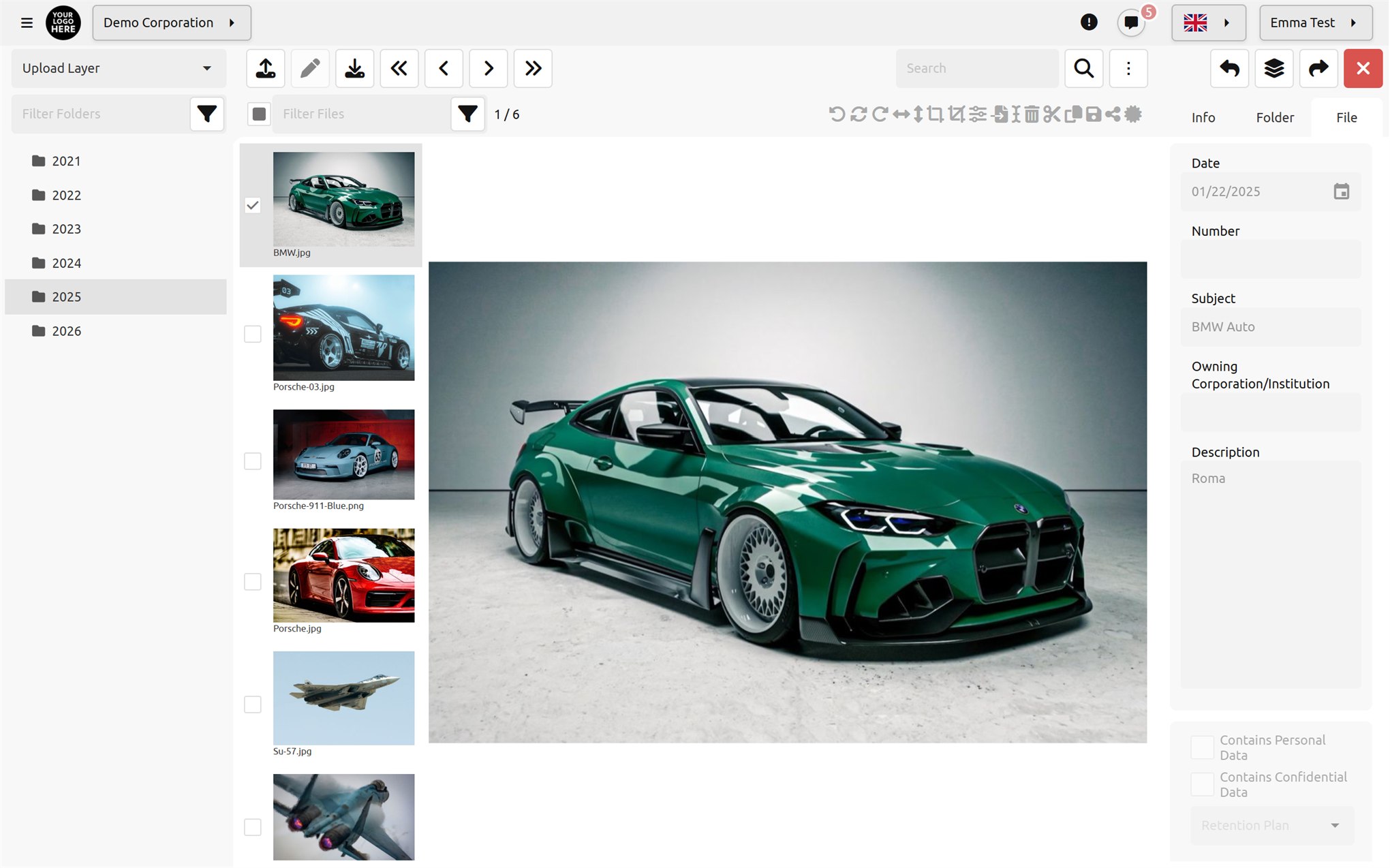
Do you need a product like Google Drive, Dropbox or OneDrive that runs on your organization's own file storage systems, where employees can save the sensitive data they produce and share it securely with each other or with external users? Documenos is the application for your business.
Learn more…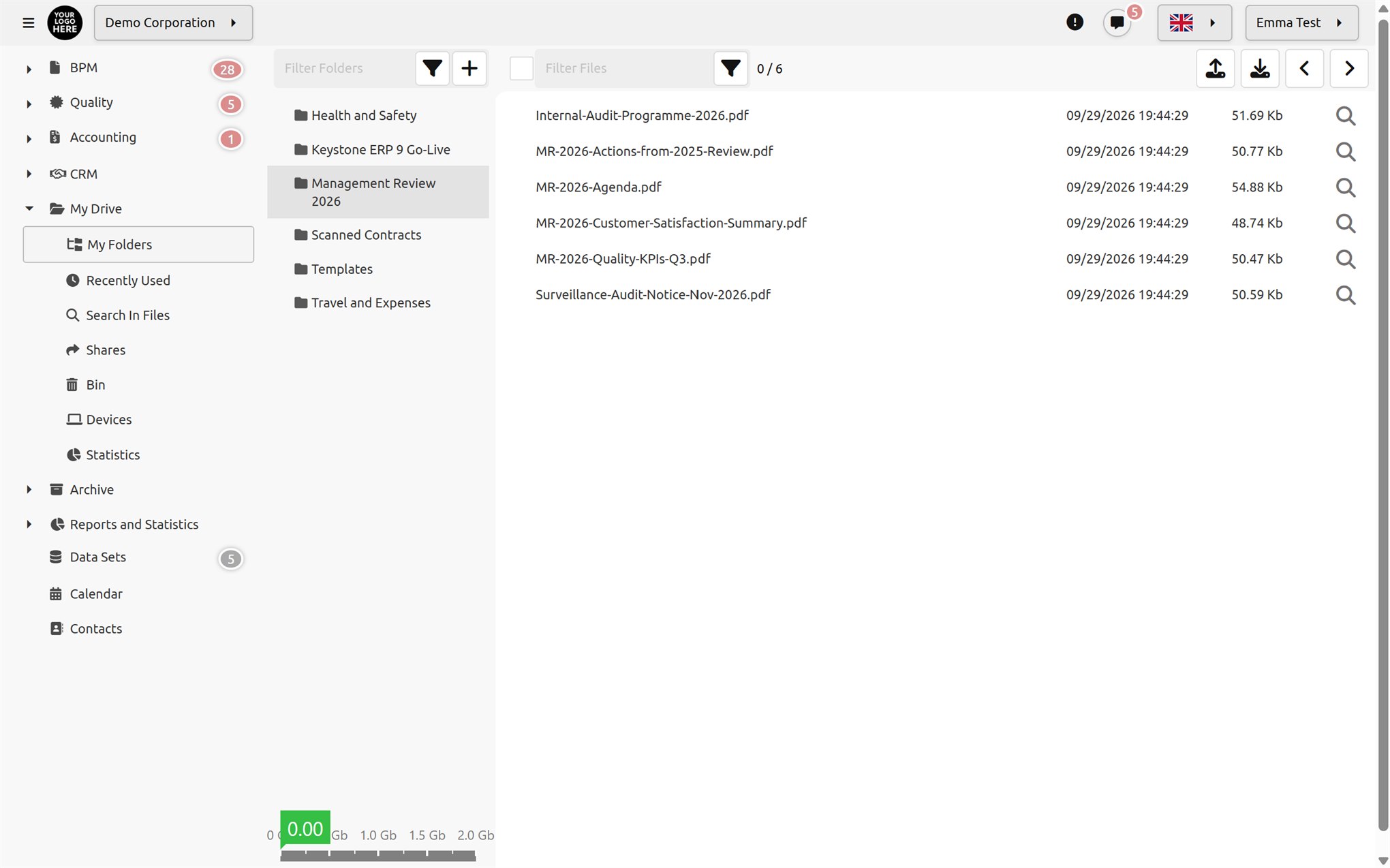
Documenos lets you draft contracts in collaboration with your employees, managers and external parties. Documenos automatically sends a link to the email address of your lawyer or the other contracting party. Using the link, the contract can be edited or comments can be added. Creating contracts has never been easier. Empower your business with Documenos's smart contract management.
Learn more…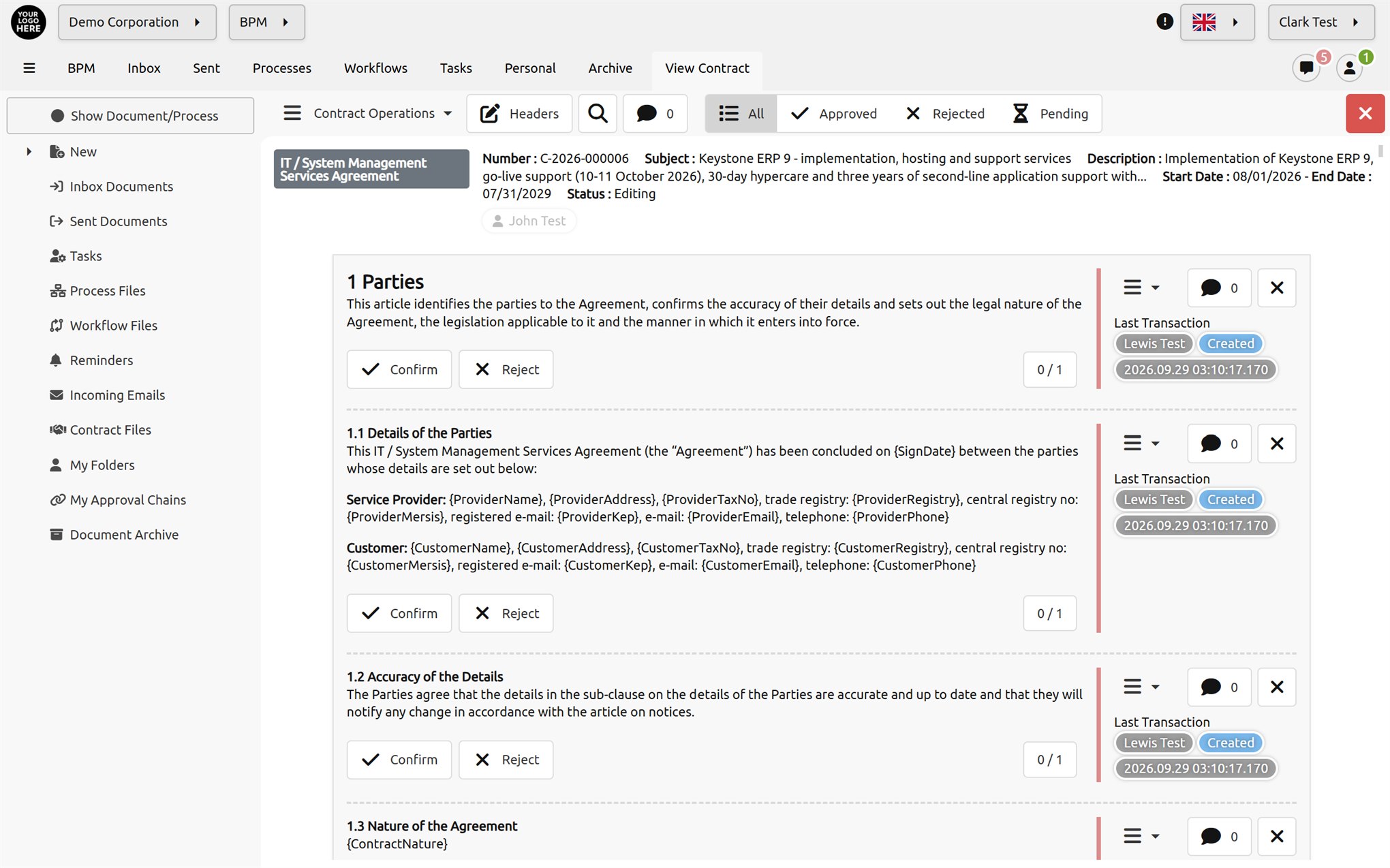
Everything you would expect from an accounting application is here: invoices, current accounts, inventory, income and expense accounts, banking, orders, purchasing, sales, production and warehouse management. A dynamic, rule-based management approval system for purchasing, production and sales. Price list management. Reserved stock management for sales staff. And many more features.
Learn more…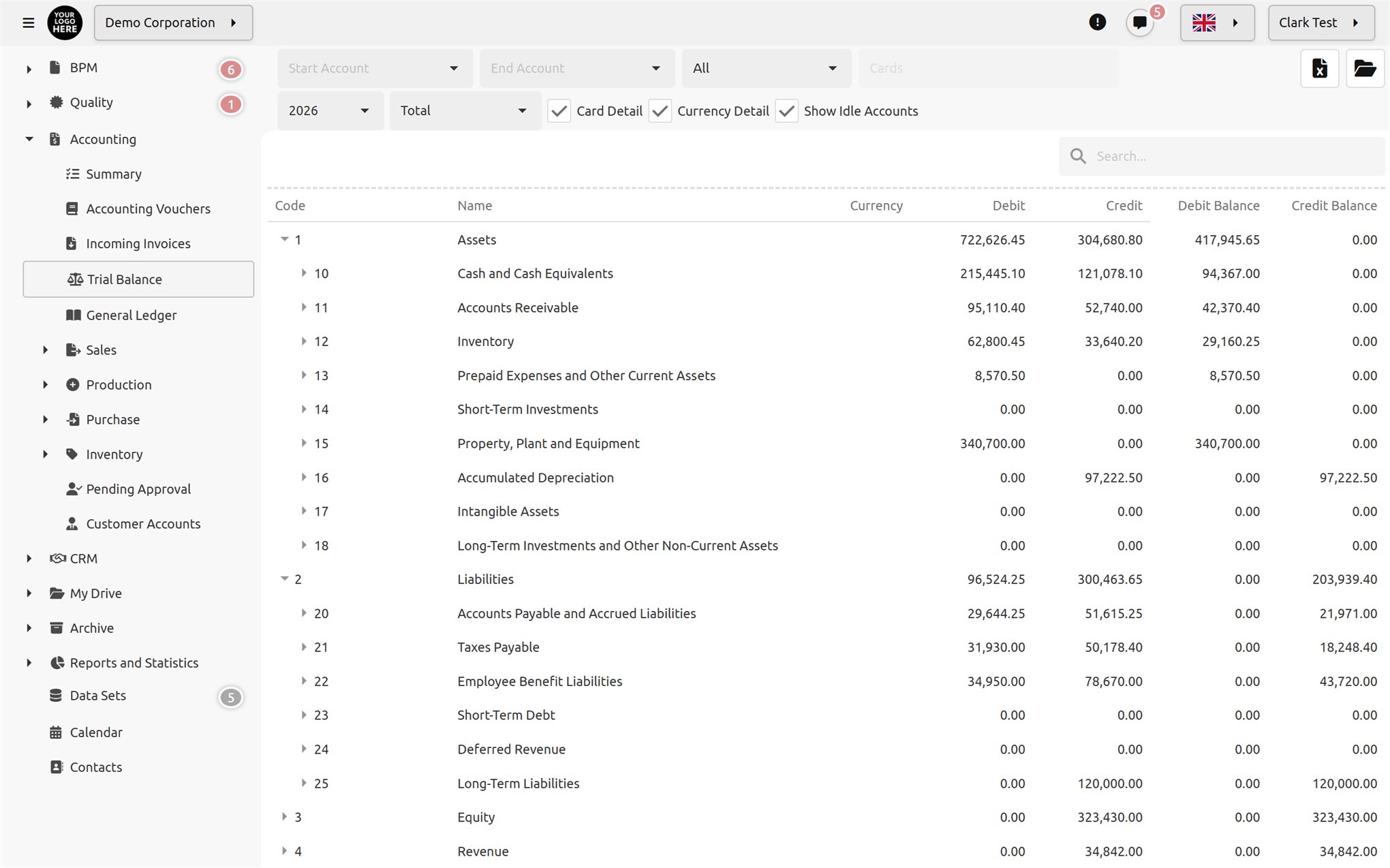
Documenos provides a functional infrastructure for managing all your quality standards in one place: preparing documents, files, forms, surveys and any other content, creating revisions, managing citations and related article numbers, managing reviews, submitting them for management approval and publishing them on the internet or intranet.
Learn more…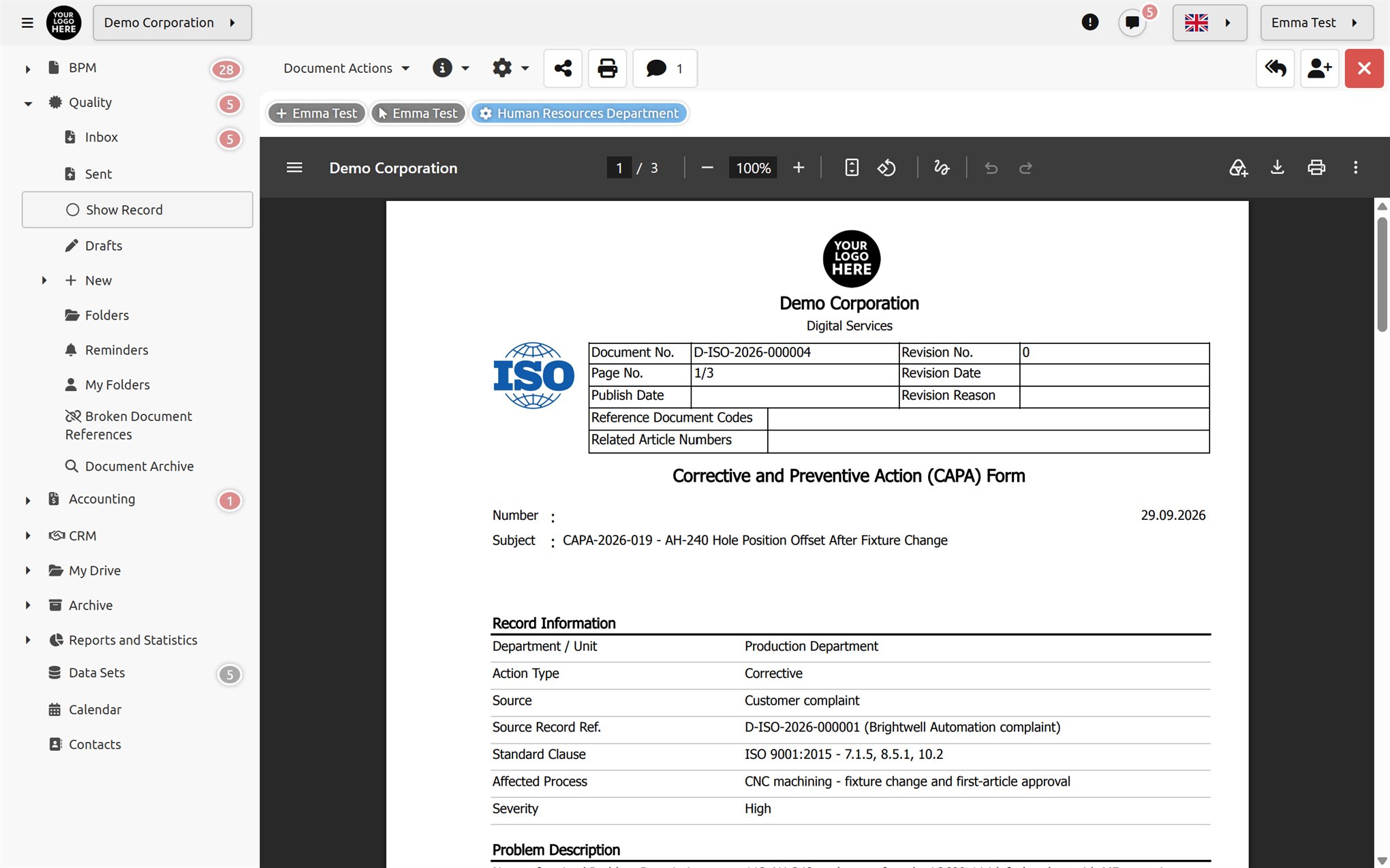
Lead management, customer actions, sales teams, email and SMS campaigns.
Learn more…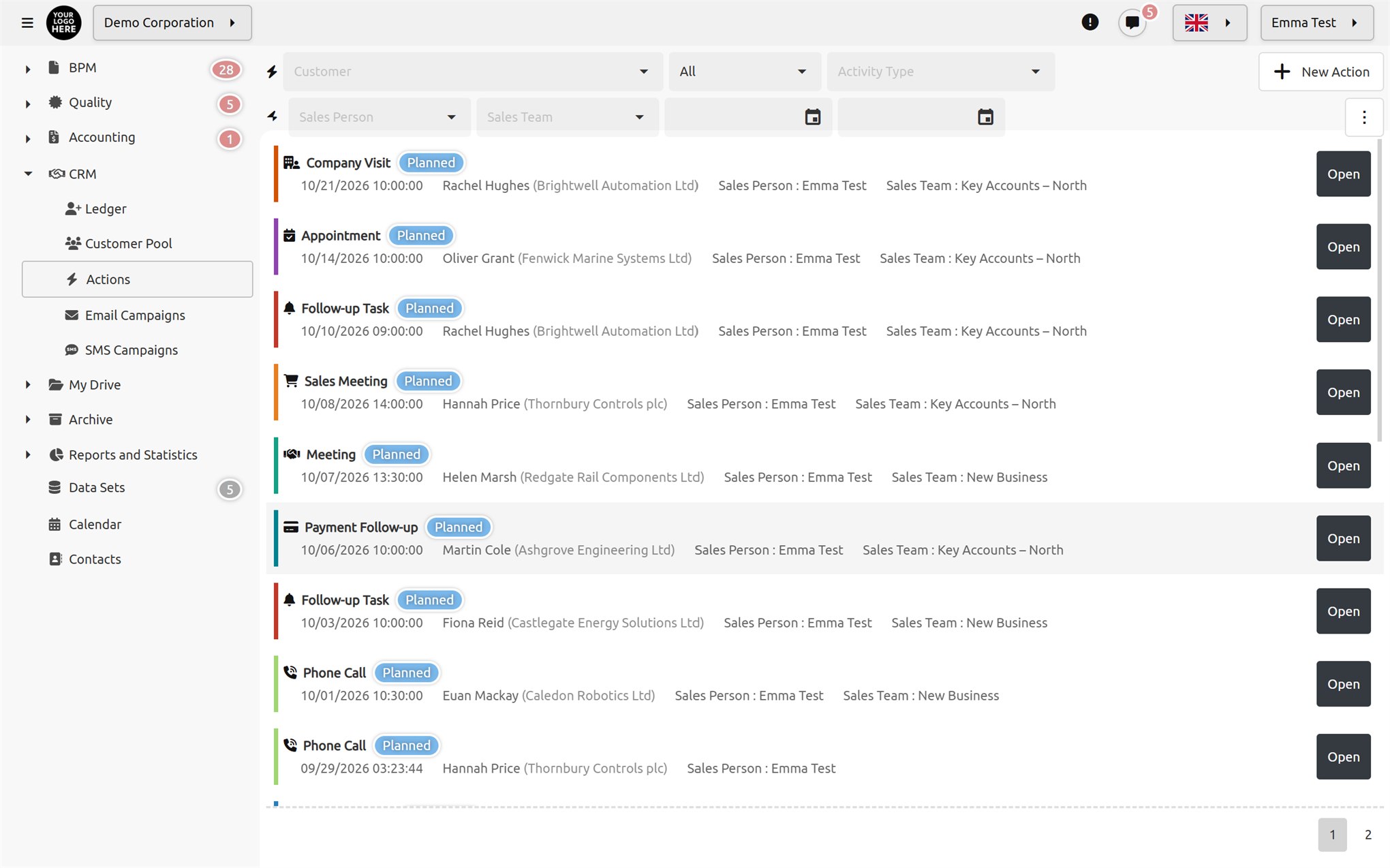
Documenos has a flexible and powerful content management system that lets you build and manage websites with drag and drop, without any coding knowledge.
Learn more…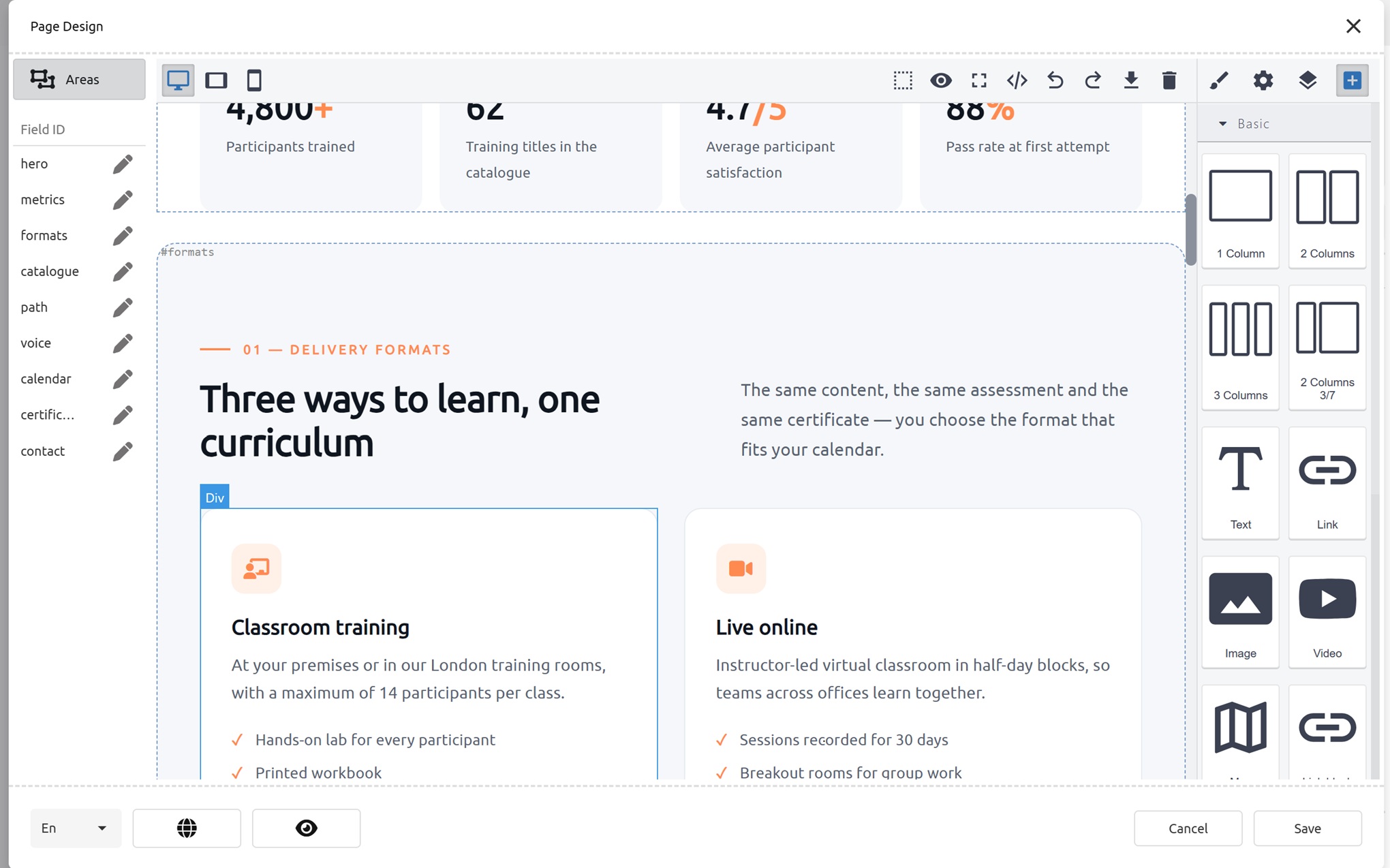
Documenos offers a business analytics platform that turns raw data collected from different sources into interactive reports and visual dashboards.
Learn more…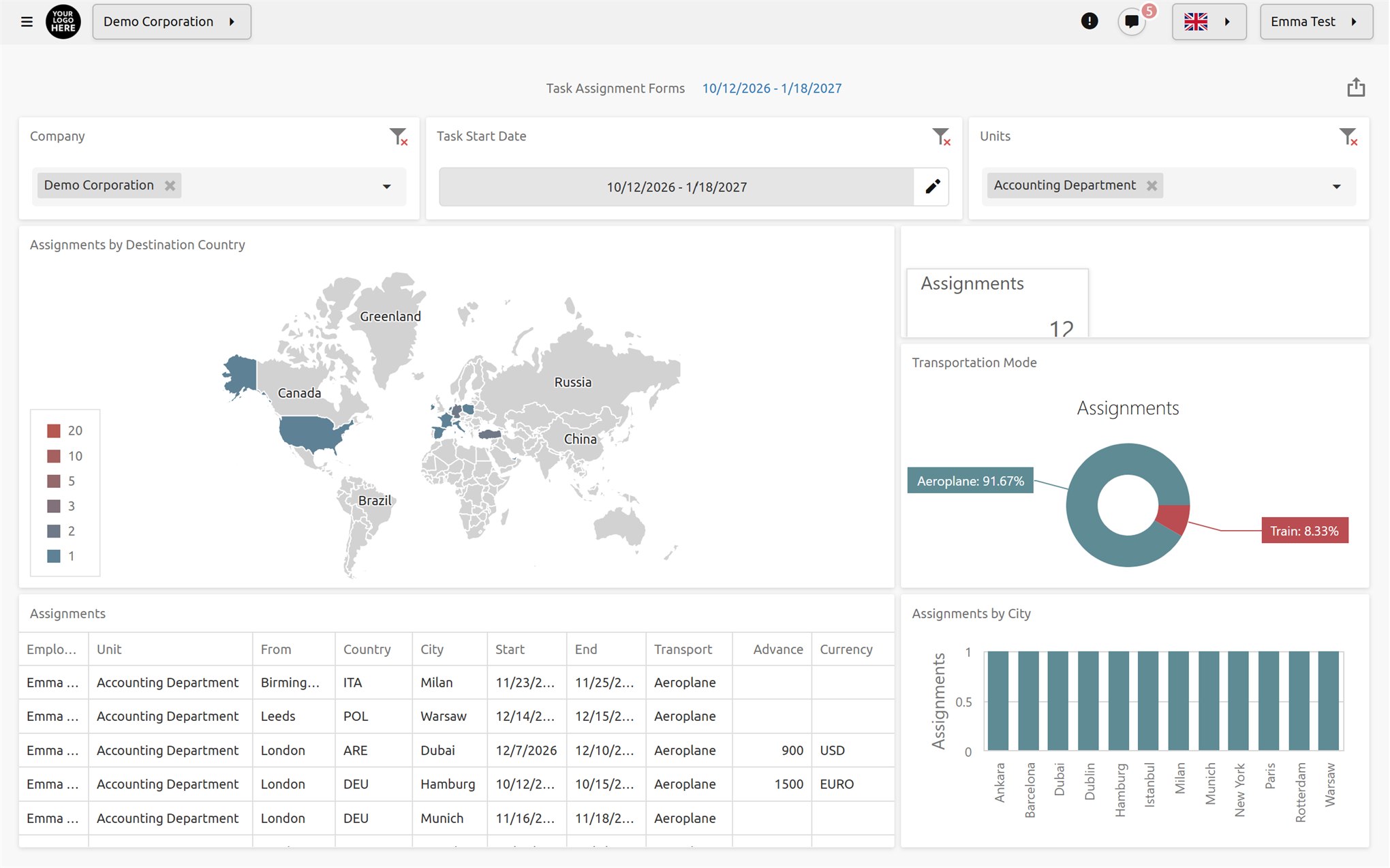

You can manage multiple archives within each company. Each archive can be kept in a different data storage location, with different rules and security policies applied.

You can run automatic OCR on archives and also automatically index data such as IPTC and EXIF.

Access privileges can be configured differently for each archive and customized by layer or folder.

It works in full compliance with all archiving standards set by international organizations. You decide where and how to archive and index.

Electronic signatures are created in the XAdES, CAdES, PAdES and JAdES formats defined by eIDAS, using the DSS library developed by the European Commission. Four different levels are supported; LTA-level signatures can still be validated many years later.

During signing, the certificate holder is compared with the user in the system. If the ID number or full name on the certificate does not match the record of the user assigned to the task, the signature is rejected.

Signing is not a separate task done in another application; it is a step in the approval chain. While internal approvals on a document proceed with a click, steps with legal consequences can be completed with an electronic signature.

The signature format, level, packaging, container and digest algorithm are configured at the organization level. When these settings are made mandatory, users cannot deviate from the standards and all documents are signed according to the same standard.

All common AI providers are supported: OpenAI, Azure AI, Google Gemini, Google Vertex, HuggingFace and Ollama. With Ollama you can run any model you like on your own server, so document content never leaves your environment for an AI service. An unlimited number of connections can be defined simultaneously, and a different model can be selected for each connection.

Documenos® hosts an MCP (Model Context Protocol) endpoint. Users generate their own access key, and their AI assistant can connect to Documenos® and perform actions in every module.
The assistant works with the user's own permissions. The AI assistant cannot access any data or permission the user cannot access. All actions go through the same authorization checks and are logged.

Speech in audio and video files added to the archive is converted to text in 100+ languages and added to the search index. This lets you find a specific phrase mentioned in a meeting recording simply by searching.
Documenos® provides Artificial Intelligence (AI) support in all content creation (data entry) areas for documents, forms, workflows, process files, task records and datasets.

You can define AI prompts that process and generate data using the information entered into dynamically created form fields. This lets users get the most out of AI when creating forms.

Human faces in photos added to the archive can be detected with the help of AI and automatically matched with previously identified faces.

AI prompts can be added to all content entry screens. You describe what the prompt should do in plain sentences. Each prompt can be defined to specify which fields it reads from and which fields it writes the result to. This way, multiple fields can be updated at once with a single prompt.

You add your own personal and corporate email accounts to Documenos® (with server, port, security type and polling interval), then read your emails, open attachments, reply and send new messages from the same screen. No more handling the document in Documenos® and the related correspondence in another program.

Start a video call with anyone you are chatting with in a single click. The camera and microphone can be turned on and off during the call. Calls take place between users directly in the browser. Answered and missed calls are logged.

You can define meeting rooms, priorities and meeting types with default durations, and create recurring appointments. You can share your calendar with multiple people, giving each user read-only or edit rights. This way you can leave calendar management to your assistant.

You can email a single-use booking link to people who do not have an account in the system. The other party books an appointment at a time that suits them. The link has a validity period and closes once used. The other party does not need to install anything or register in the system.

An SMS provider can be defined per organization, and various SMS service providers are supported. SMS can be used in notifications, form event triggers and multi-factor authentication. Messages are queued and a sending history is kept.

Users can send each other instant messages from any screen. Messages are stored for users who are not logged in, the number of unread messages is shown as a badge, and online users appear at the top of the user list. A separate "System" sender is used for server and administrator notifications.
Your searches are not limited to file names. PDF text, OCR results from images, Office documents, EXIF data and metadata extracted from videos are all indexed. Speech in audio and video is converted to text and becomes searchable.
Run email and SMS campaigns for all your contacts or for contacts in selected folders. Let each contact receive campaign content in their own language, track opened emails and measure your campaigns' performance.

Connect your Documenos® calendar to Google Calendar, Outlook / Microsoft 365, iCloud or other CalDAV calendars. Appointments are synchronized automatically in one or both directions; if you prefer, they appear in the external calendar only as "Busy".


