
Loading ...
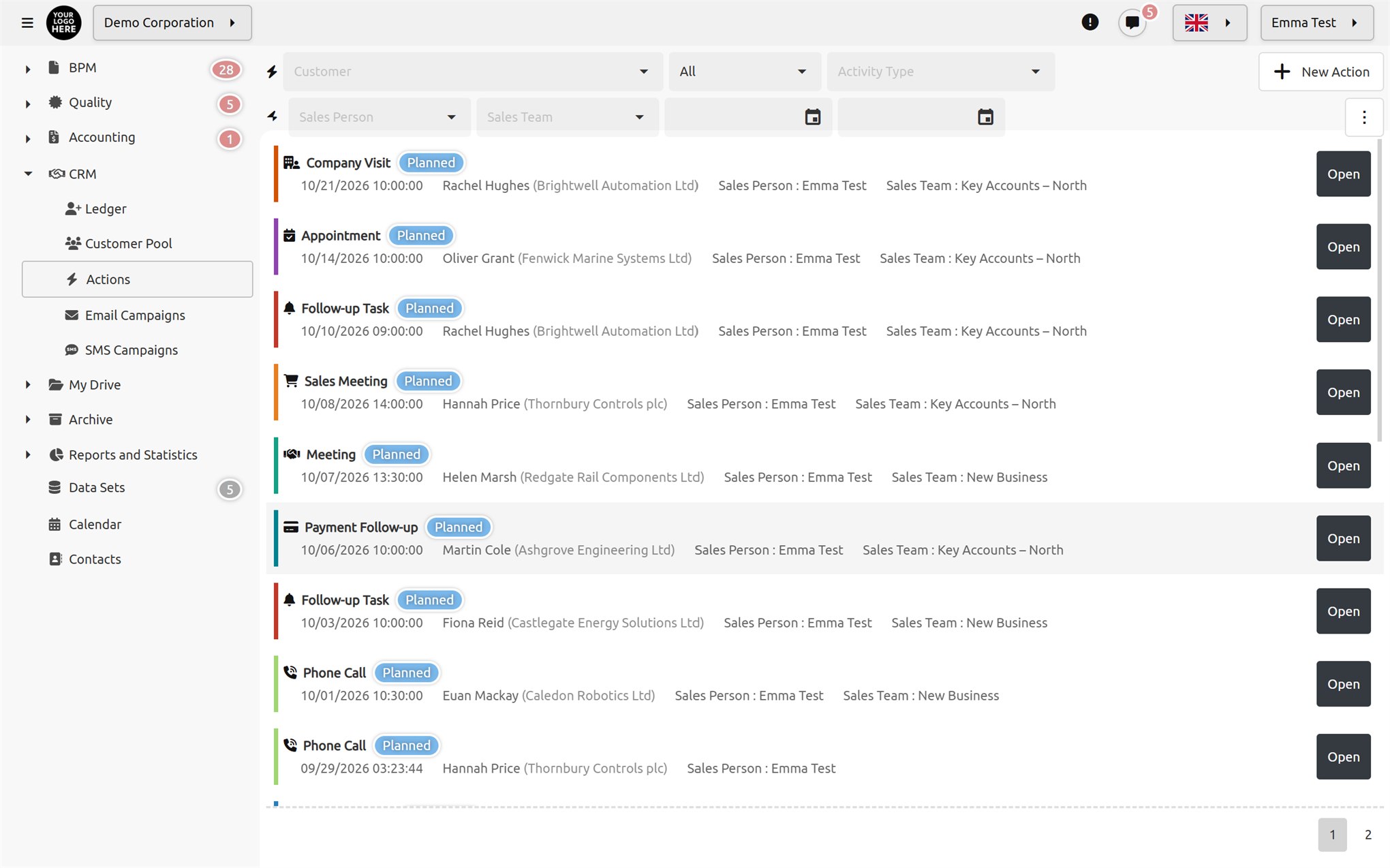
Collect your leads, distribute them to your sales representatives, record every call and visit, and send your campaigns. Documenos® CRM works on the same platform as your documents, calendar and accounting.

New records enter the pool together with their source (website, trade fair, referral, social media…) and a score.

Records are assigned in bulk to a sales representative and, if you wish, to a sales team.

The representative works with the customer, enters actions and updates the status.

Every record has a clear status: in progress, completed, failed, lost or archived.
 Meeting
 Meeting
 MeetingMeetingVisit
 Visit
Visit Sales
Sales Sales
Sales SalesSales
 Sales
Sales Sales
Sales Follow-up
 Follow-up
 Follow-up
 Follow-up
 Communication
 Communication
 Communication
 Support
 Support
 Support
Start with 22 ready-made action types or create your own: set a colour, an icon and a default duration, and add type-specific fields. Types can be exported and imported to move them to other installations.
Text, date, list, table, contact, inventory, location, dataset selection and fields filled by AI prompt. Files attached to an action can be previewed, and a history of changes is kept.
When planning an action, add it with one click to your own calendar or to the whole sales team's calendar. The action's type, customer, priority and duration are carried over to the calendar entry; when the action is updated the calendar is updated too, and when it is cancelled the entries are removed.

Every action has a planned date, a duration and a status (planned, completed, cancelled).

Calendar entries are displayed in each user's own time zone.

Filter by customer, status, type, sales representative, sales team, date range and text.

Build emails with the drag-and-drop designer, write the content in ten languages and send a test message. Send to everyone at once or in batches at intervals, and track the number of messages sent and opened.

Run text message campaigns through your configured SMS provider with the same targeting and sending options.

Choose the target audience from directory folders or individual contacts. People who unsubscribe are automatically excluded from subsequent email and SMS campaigns.
Set up sales teams with multilingual names, define their members, and set teams as active or inactive.

A representative without the relevant permission sees only their own customers and actions; the rule is also enforced on the server.

Separate permissions for campaigns, leads, the customer pool, assignment, actions, action types and sales teams.

Customer and action data is transferred to the business intelligence database and can be used in your reports and dashboards.
