Loading ...
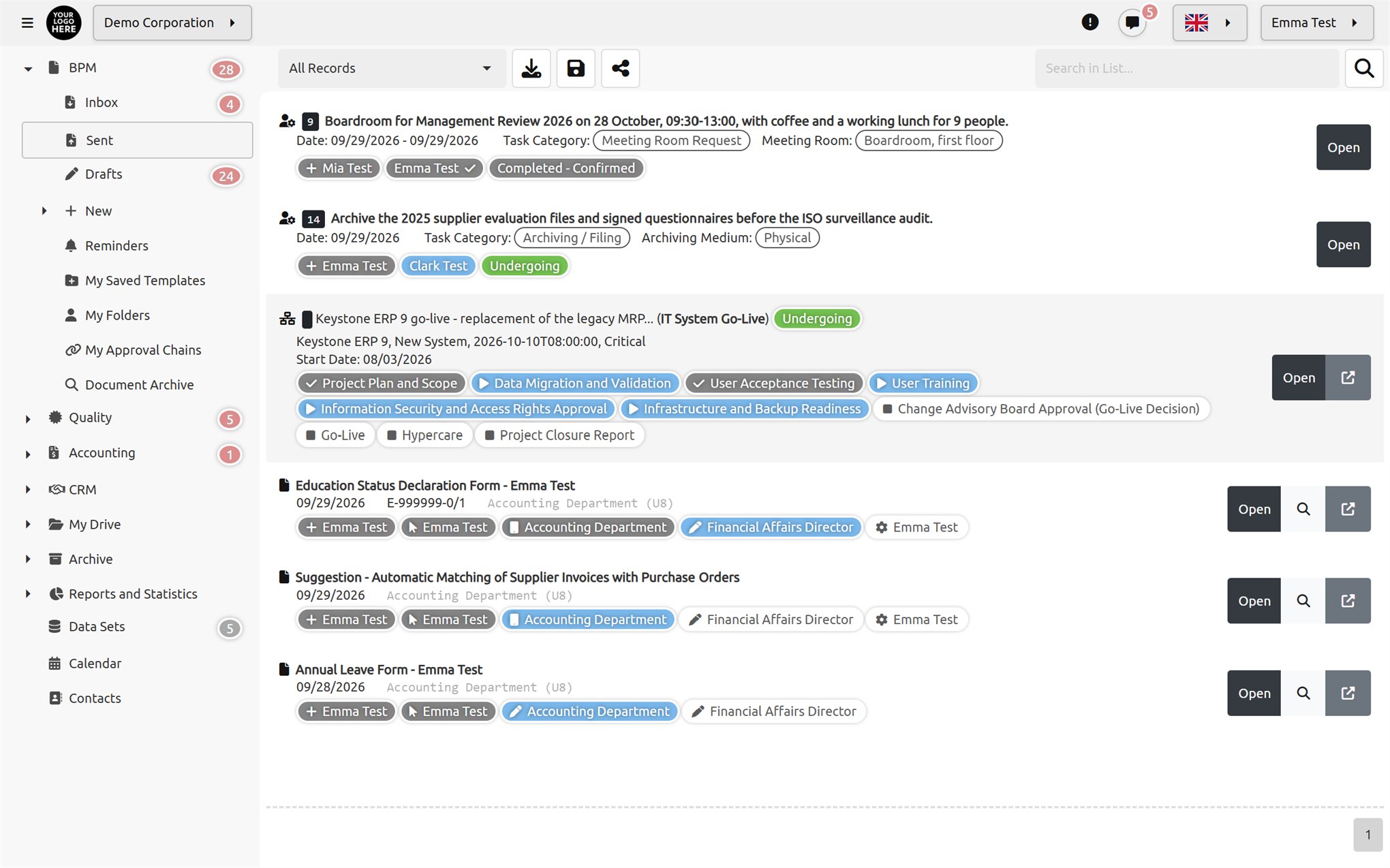
In a busy work environment, every task matters. Task management has never been this simple, flexible, secure and measurable. Simplify your tasks and increase your productivity with Documenos®.
A task isn't only opened with the "New Task" button; it can start anywhere the work passes through.

Open a new task record in a single step from the task list or the document inbox.

"Save as task" the draft you prepared in the document editor and hand it over to someone else to complete.

A step in a process or workflow can automatically generate tasks for the people involved.

A request submitted through the contact form on your website can be turned directly into a task.
Every task can have a "Target Action"; whoever opens the task is taken straight to the work to be done.

The assignee finishes the work and closes the task with a comment.

If allowed, the task is forwarded with a comment to another person, group or unit.

If allowed, the task is sent back to its previous owner.

The creator or the follower can cancel the task; the assignee can only request cancellation.
If you wish, completed or cancelled tasks go to their follower/owner for approval before closing. If the follower rejects the completion, the task becomes active again and returns to the assignee's inbox.

Add custom fields to each task class; mark the mandatory ones and show the important ones as columns in the list. Classes are defined in multiple languages and can be copied, exported and imported.
A class can prefill, require or lock the task's follower and recipient. Whether the task can be forwarded, returned or cancelled is also defined in the class.
Some of the field types available in task classes:
 Purchasing
 Administrative Affairs
 Administrative AffairsAdministrative Affairs
 Administrative Affairs
 Administrative Affairs
 Administrative Affairs
 IT
 IT
 IT
 IT
 Facilities
 Facilities
 Facilities
 Facilities
 Facilities
 Events
 HR
 General
 General
Each class comes ready with its own fields and rules. Use it as is, copy and adapt it, or build your own class from scratch. Classes can be moved to other installations by exporting and importing them.
When a task is created, forwarded, returned, completed or cancelled, and when these are approved, the actions you defined for its class run automatically.

Reading from and writing to datasets, running queries or commands on databases, HTTP, SOAP and SAP service calls, writing files and running programs.

Send email, SMS or in-app notifications to users, groups or unit managers, so everyone knows what they need to know, right when they need to.

As a result of a task, add or remove group members, activate or deactivate user accounts, and assign or remove delegations. For example, when an onboarding task is completed, the new employee's account can be opened automatically.
 Inbox
 Approval
Sent by me
 Sent by me
Closed
Closed
 Following
Archive

The subject, comments, class field values and the contents of attached files are all searched together.

The task preview shows who passed it to whom, who did what and when, along with their notes.

When a task changes hands, the open screens and pending-task counters of everyone involved refresh instantly.
Based on permissions, you can edit tasks and easily create and assign them.
You can track task progress in real time and send reminders for unfinished tasks.

You can analyze productivity on a per-task basis. Define unlimited BI dashboards for task-based analytics.

You can easily attach Office documents to task records and request that the files be completed.

Add a reminder to a task; set how many days in advance and at what time it should alert, and have an email sent to the users, groups and unit managers you choose. (Enterprise edition.)

Add AI command buttons to task forms; AI assistants can read the task list, history and files via MCP and act on tasks.