Loading ...
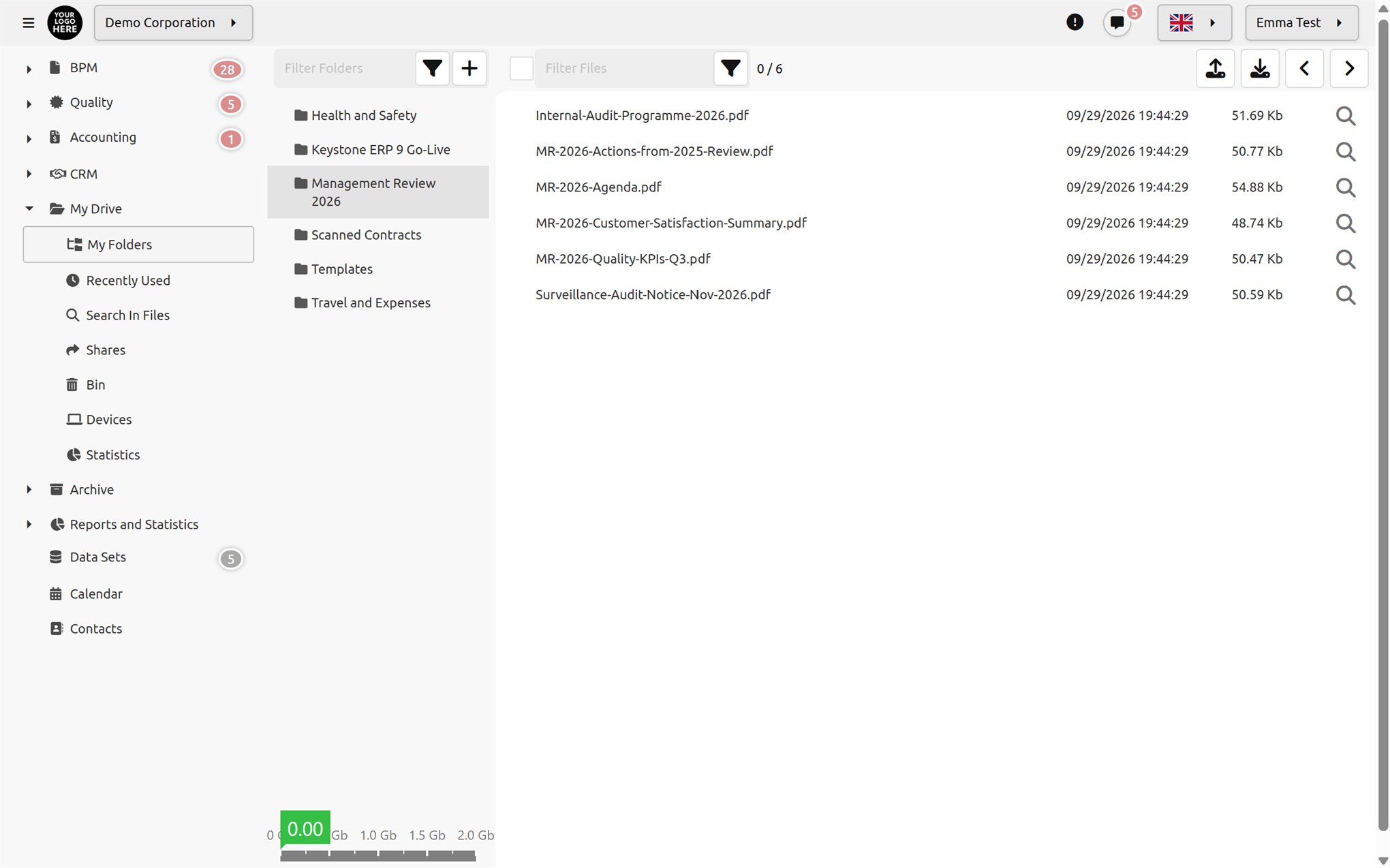
Do you need a product like Google Drive, Dropbox or OneDrive that runs on your organisation's own file storage systems, where your employees can save the sensitive data they produce in their work and share it securely with each other or with external users? Documenos® is an application built for your business.
Documenos® Drive File Management lets your employees store and manage their files securely without depending on the cloud. It secures internal and external file sharing, and allows Word and Excel files to be created and edited from a web browser.

Drag and drop files or upload a whole folder with its subfolder structure in one go; large files are sent in chunks.

Create, rename and move folders; cut, copy and paste files, and download multiple files as a single ZIP.

Open and edit Word, Excel and text files without installing an office suite; start from a blank Word or Excel file.

Deleted files go to the recycle bin; you can preview and restore them or delete them permanently.
Only one person can edit a file at a time; anyone else who tries to open it sees who is editing it. Open Drive screens refresh automatically as files change.
 Editable
 Editable
 Editable
 Preview
 Preview
 Streaming
 Streaming
 Preview
 Preview
Search does not look only at the file name: the content of PDF, Office and text files, the text in images (OCR) and video metadata are indexed during upload.

Share a folder with a Documenos® user or an email address, as read-only or read-write. External users receive their password by email and access the folder from their own page. You can set an expiry date and a folder quota for the share.

Send a file to users, to the members of a group, to email addresses or via a public link. The link can be valid from 1 hour up to 1 year, the number of downloads can be limited, and every download is logged with its time and IP address.
You can link a Drive file to a task or paste it into a document as an attachment, with no need to download and re-upload it.
Drive for Documenos Desktop lets you access your files directly from your computer. Spend less time waiting for files to sync and more time being productive.

Download and install the desktop application; your Drive folders appear on your computer like any other folder.

Connect the device to your account with a QR code or a link, and manage your connected devices from a single list.

Adding, updating, renaming and deleting folders and files are synchronised in both directions.

You can manage secure file sharing between users or with external users.

It provides a storage solution similar to Google Drive or Dropbox that runs on your on-premises servers.

Set a default quota for all users and define user-specific quotas where needed; everyone sees the space they use on their own screen.
It provides a recycle bin for deleted files; you decide how many days deleted files are kept.

There is no need to install office applications for your users. Word and Excel files can be created, edited and printed directly from the web browser.

It provides statistics that let you monitor Drive usage and the space used by file type.

It provides easy access to files by searching within file content and the text in images.

It supports viewing a wide range of file types in the web browser, including documents, photos, videos and other media files.

View and edit permissions are granted separately for Drive settings, quotas, connected devices, logs and statistics.

Creation, moving, deletion, restoring, downloading, uploading, editing and operations coming from devices are logged with the user and IP address.