
Loading ...


Inventory classes are defined as a tree structure. Names can be defined in different languages, and multiple unit managers, groups, or users can be selected to approve quota-exceeding purchases or sales. If a group is specified, approval from one of the group members is sufficient.

Inventory units and unit conversions are defined together. Documenos® includes Unit, Area, Weight, Volume, and Length units, as well as predefined conversion tables for these units. Custom unit definitions and their corresponding conversions, as required by the company/institution, can be added to the definitions if needed.

The following information can be recorded on inventory cards: Code, Name, Inventory Type, Commercial Inventory, Fixed Recipe Production, Variable Recipe, Production, Raw Material, Consumable, Fixed Asset, Group Inventory, Brand and Model Name, Inventory Quantities, Valid Unit, Barcode, Tax, Inventory Class, Reserved Sales, Serial Tracking, Shelf Life Tracking, Warranty Period Tracking, Minimum Quantity Tracking.

When recording any inventory transaction, all rules in the inventory rule list are considered. If a record complies with more than one rule, the approval chain is applied as the sum of the rules.

When creating a record in the Inventory Management Module, the metadata (metadata fields) of the record, regardless of its type, can be dynamically expanded according to the needs of your company/institution.

You can prepare more than one print template for a record type. When you want to print or prepare a PDF for a record, the system will first ask you which template you want to use and the PDF will be prepared using the template you select.

An unlimited number of inventory sales price lists can be prepared. Inventory sales price lists can be prepared for future dates. When sales records (sales invoices, etc.) are created, the unit prices from the price list valid on the recording date are automatically reflected in the transaction record. Sales personnel entering the record can manually correct the unit prices.

Documenos® offers an advanced Sales Offer Letter Management.

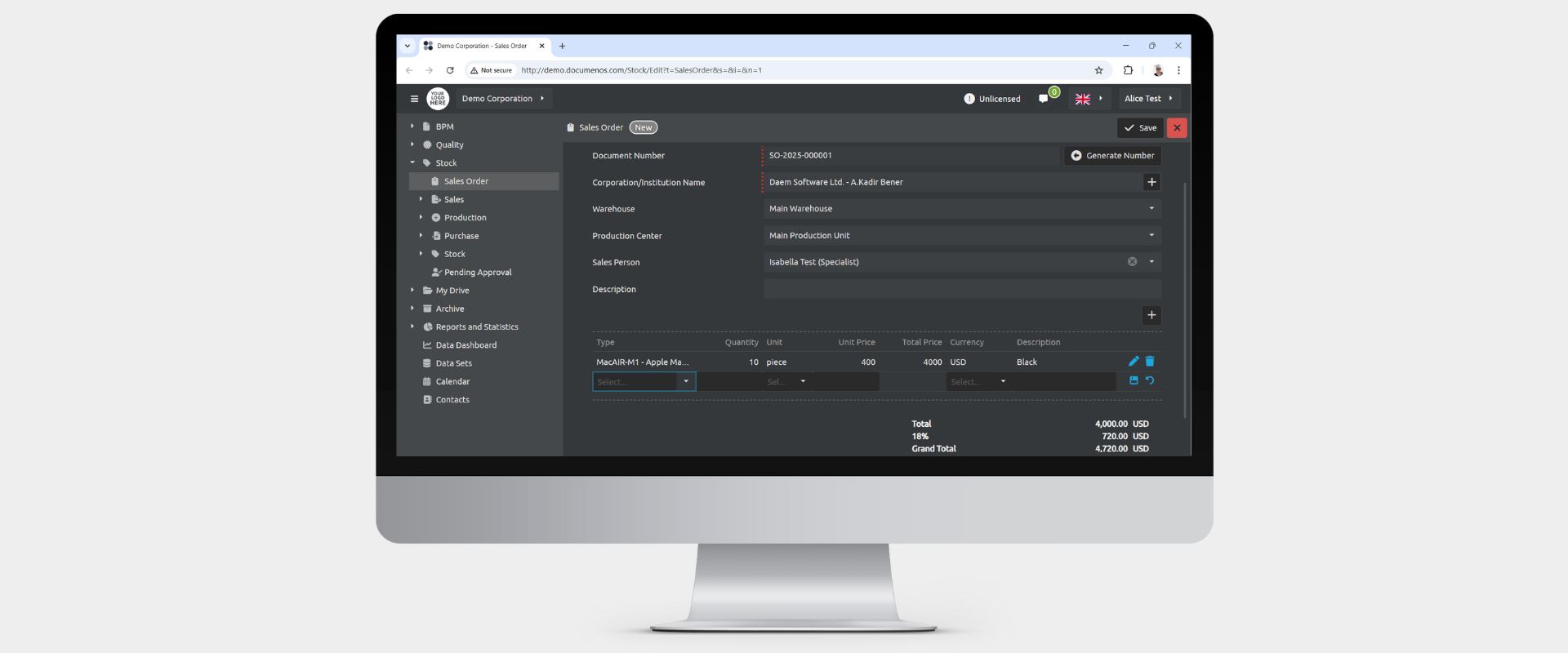
Documenos® offers advanced Order Management.

Delivery Note, Invoice, Delivery Note Invoice and Consignment Note Management.

There are two types of production models in Documenos®: -Fixed recipe production (production is done with the same recipe for all customers, recipes may change over time, but each production uses the same recipe table valid at the time of production) -Variable recipe production (production recipes specific to each customer or each order are followed)

From the “Recipes/Formulas” screen of Documenos®, inventory cards with both fixed and variable recipes can be managed together. The details of any production recipe, along with the changes that have occurred throughout its history, are managed.

If changes are made to the details of a purchase request after it has been approved, the record is checked again, and if a situation requiring it to be sent to the approval chain is detected, the record is automatically sent back to the approval chain.
You can enter as much inventory information as you want in the purchase order detail lines.
Delivery Note, Invoice, Delivery Note Invoice or Consignment Note.



With the Documenos® inventory management module, all product warehouses of your company/institution can be tracked simultaneously and in real time. When the inventory screen is opened, incoming, outgoing, and remaining quantities are always reported for all warehouses and all inventory classes without the need for any filtering.

Opening, Consumption, Waste, Shipment, Counting.

In the Documenos® inventory management module, transaction records for all product items of your company/institution can be tracked simultaneously and in real time as "inventory movements".

Documents awaiting approval from users are saved in the “Pending Approvals” list. To complete the approval process, the user simply opens the document, then clicks either the “Approve” or “Reject” buttons.